A self-serve business diagnostic
A diagnostics platform that structures a business assessment across four domains, tracks every invitation through to completion, and returns a circumplex report with strengths, risks, and tailored guidance.
- Role
- Product Designer & Lead Engineer
- Year
- 2025
- Platform
- Web · Admin & survey apps
- Scope
- 4diagnostic domains
- Scope
- 12categories scored
- Scope
- 3diagnostic types
- Deliverable
- A4 PDF + CSVreport outputs
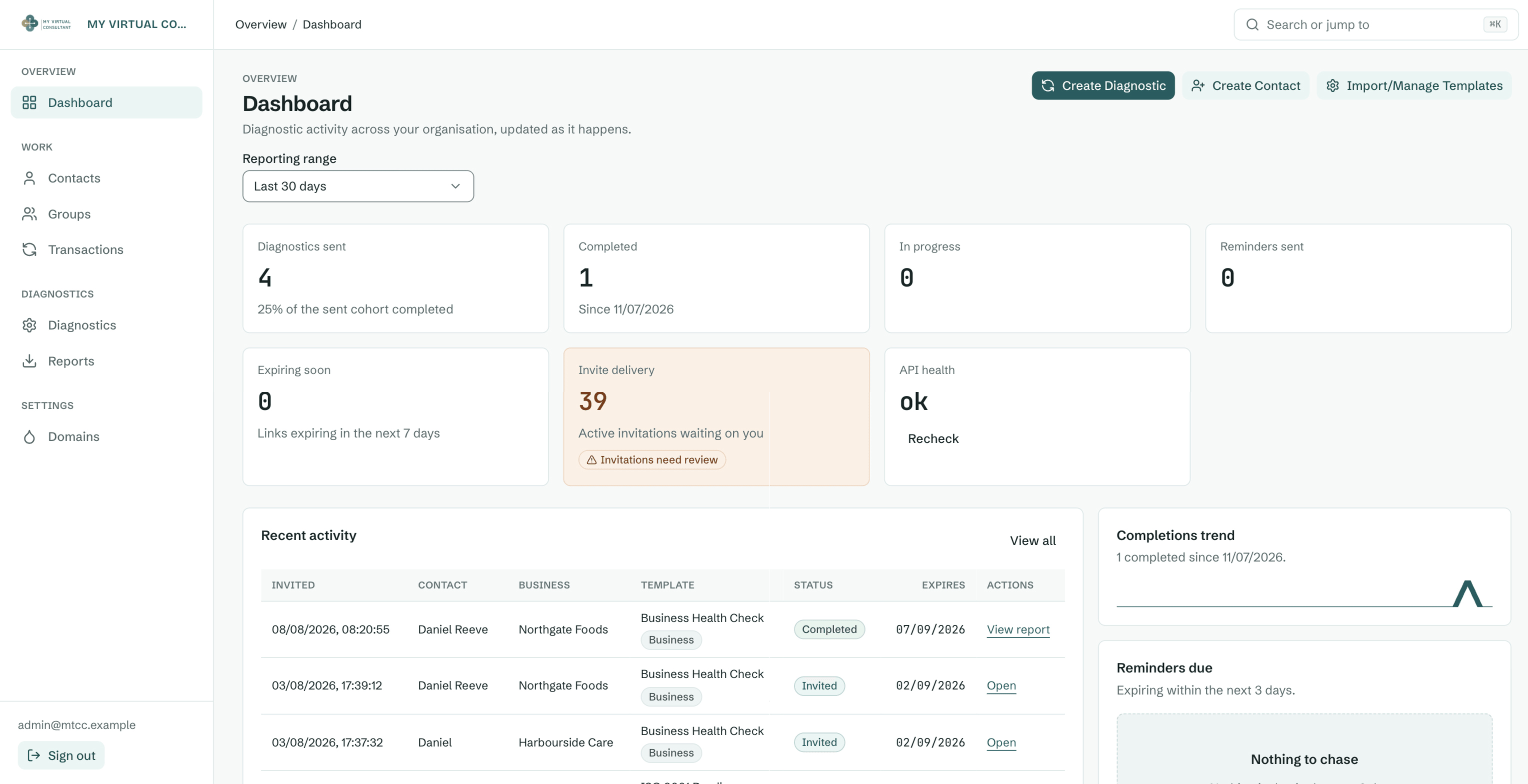
Evidence note: Admin captures come from the working product with contact names, email addresses, business names and diagnostic titles replaced by fictional equivalents. Report visuals use demonstration data, and no client use, completion or business outcome is claimed without supporting evidence.
On this page
The problem
A proper business diagnostic is rigorous and valuable, but it lives in one consultant's head and their calendar. MTCC needed to deliver that same rigour as a product: configure a diagnostic, send it to a business, chase the ones that stall, and return a credible, branded report without a consultant in the loop for every run.
Decisions and delivery
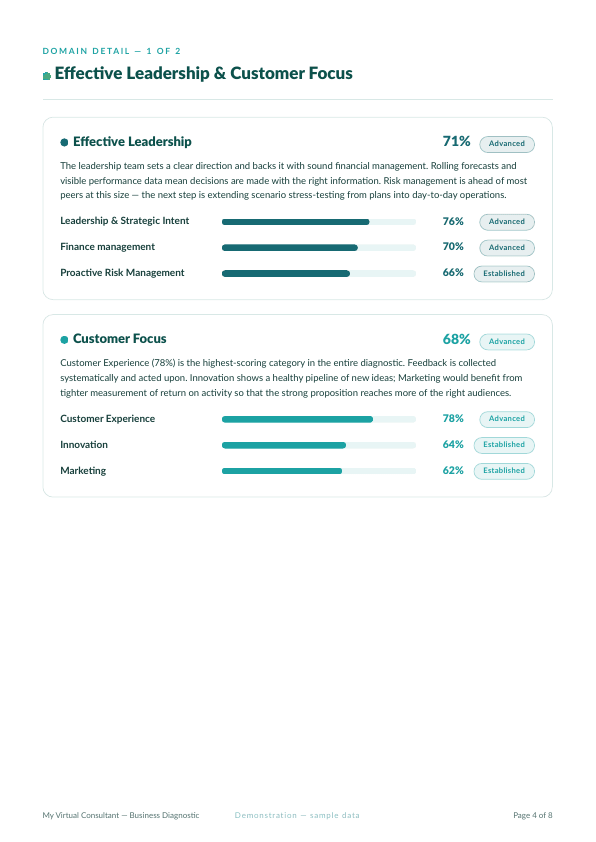
The core move was treating the consultant's framework as structured. Four domains (Effective Leadership, Customer Focus, Organisational Health, Operational Resilience) fan out into twelve categories of Likert questions, each with weighting, optional reverse-scoring, and narrative guidance for every score band. Modelling all of it as data means MTCC can build and version diagnostics, import a whole question bank from a spreadsheet, and run three assessment types (business, ISO 9001 and sentiment) through the same engine, with no code changes.
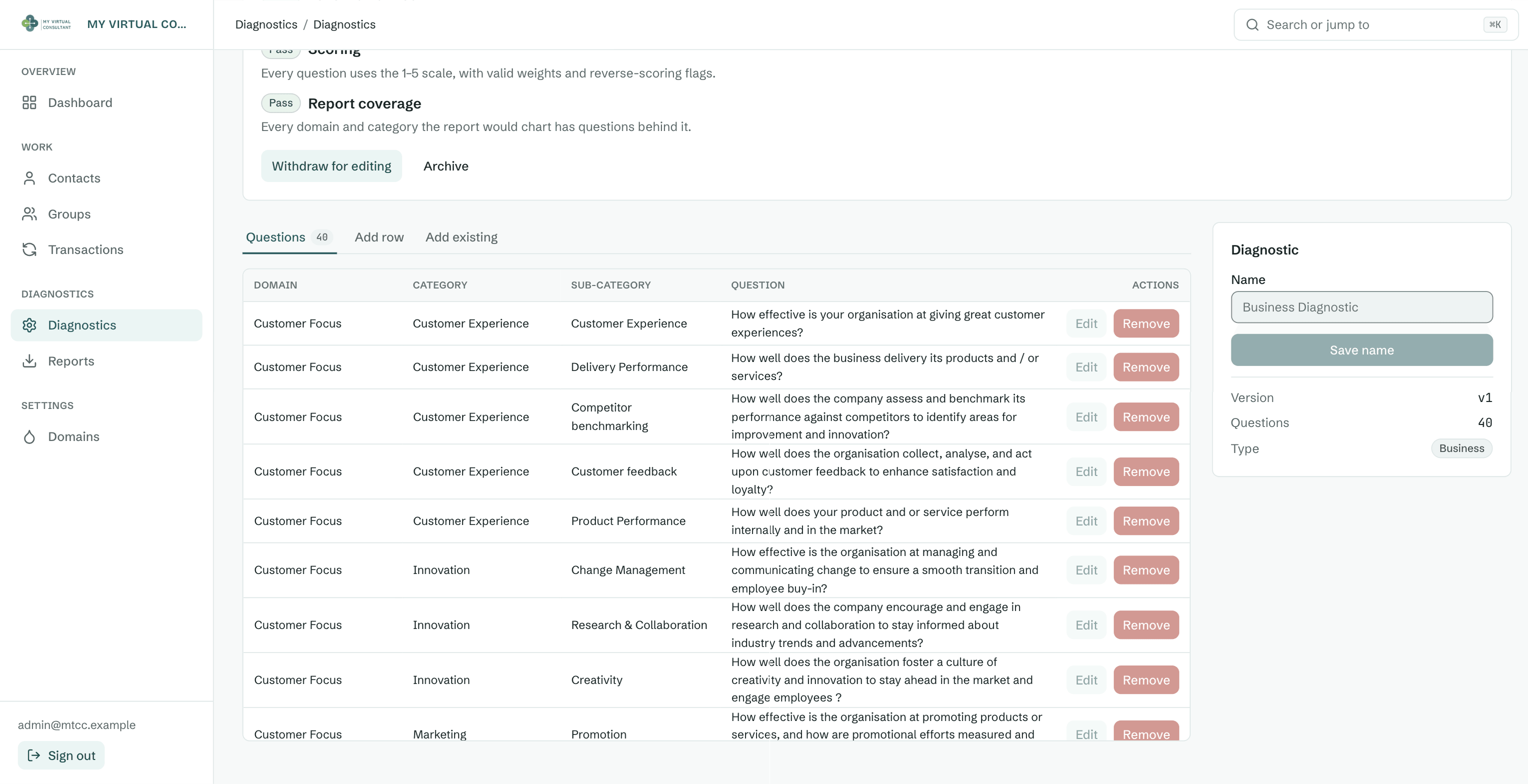
A diagnostic missing guidance for a score band still sends perfectly well, and then produces a report with holes in it. So publishing runs a readiness check first: naming and version, every question present and worded, domains and categories joined up, scoring weights and reverse-scoring flags valid, and report coverage confirmed for every domain the circumplex will chart. Level narratives fail as advisory rather than blocking, because a question can legitimately fall back to the standard 1 to 5 maturity scale. Publishing then freezes the question set, so a result recorded against a version always means that exact set of questions.
A diagnostic delivers nothing if people abandon it halfway. The runner is a single tokenised link (mobile-first, designed against WCAG AA patterns, paginated with a progress indicator) that autosaves and resumes, so a busy operator can answer a few questions, close the tab, and pick up later on the same link. Submit once, done.
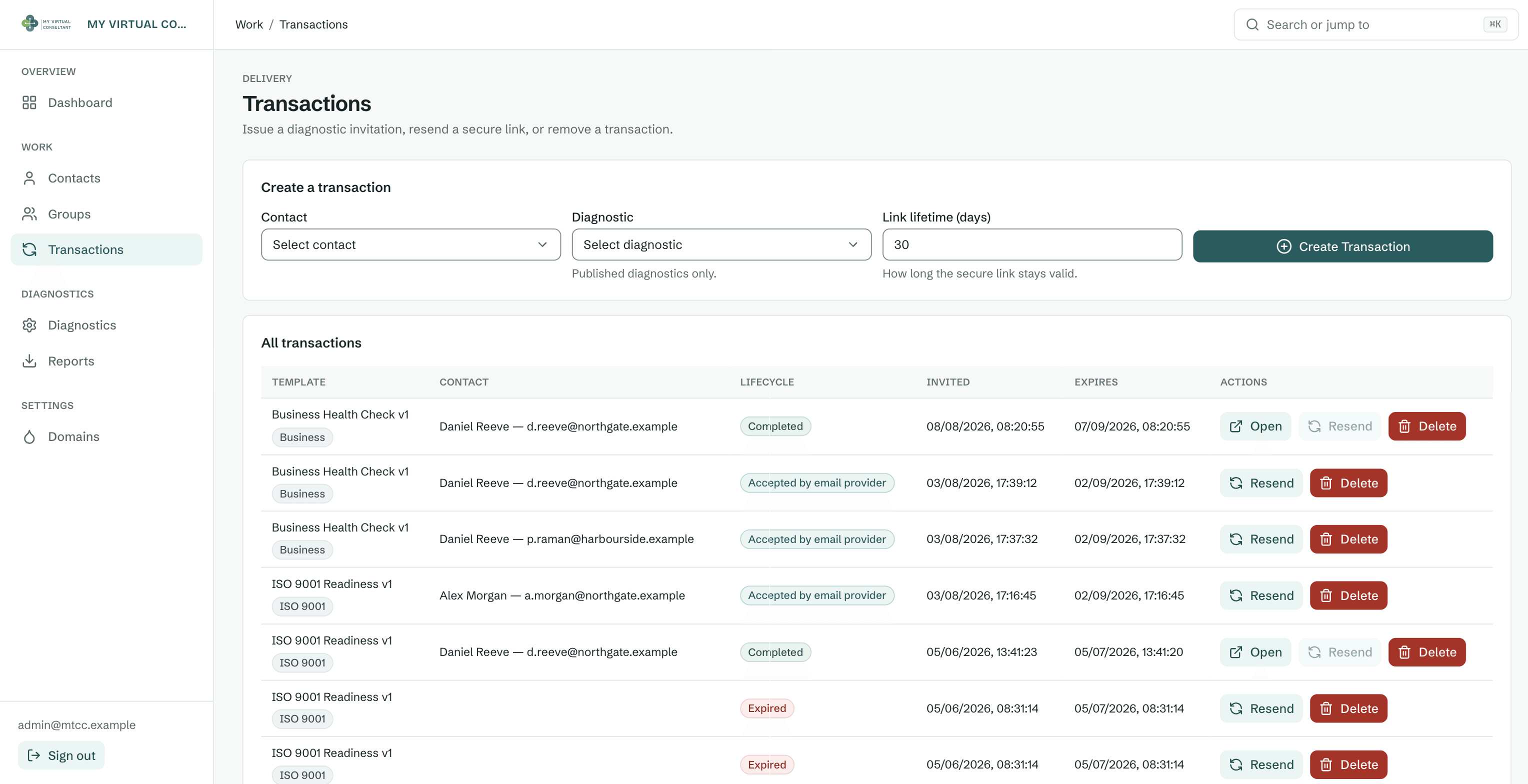
Sending is the part that quietly decides whether a diagnostic ever gets finished. Invitations go out one at a time or as a group, where a whole organisation is added at once and each person receives their own personalised link with a chosen lifetime. Every invitation then carries a visible lifecycle: invited, accepted by the email provider, completed, or expired, each with resend in reach. The dashboard rolls the same data up into what needs attention now, including links expiring in the next seven days and invitations still waiting on the consultant.
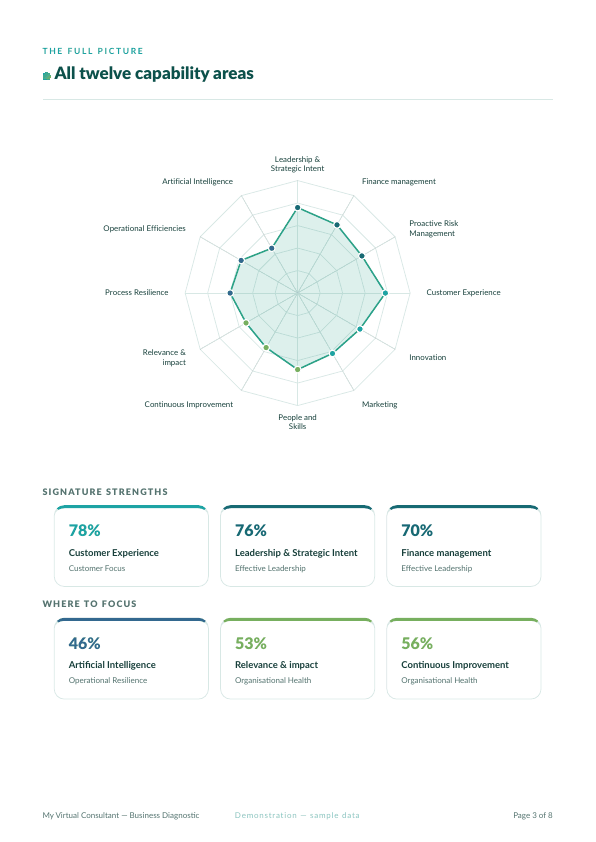
The report is where it becomes a consultant. It opens on a circumplex (radar) of category scores, calls out the top-three strengths and bottom-three risks, and for each category surfaces the narrative tied to the achieved band, so a leader reads guidance rather than numbers. It prints to a clean A4 PDF and exports to CSV. Underneath, a shared, tested scoring engine keeps the admin view, the report, and the export in agreement.
What shipped
As Product Designer and Lead Engineer, I turned the consulting framework into a configurable assessment, a resumable survey, a tracked invitation lifecycle, a shared scoring engine and branded PDF and CSV outputs; client use and business outcomes remain unclaimed without supporting evidence.
One scoring engine kept every output aligned
Modelling the framework once prevented the admin view, survey, report and export from interpreting weighting, reverse scoring or guidance bands differently.
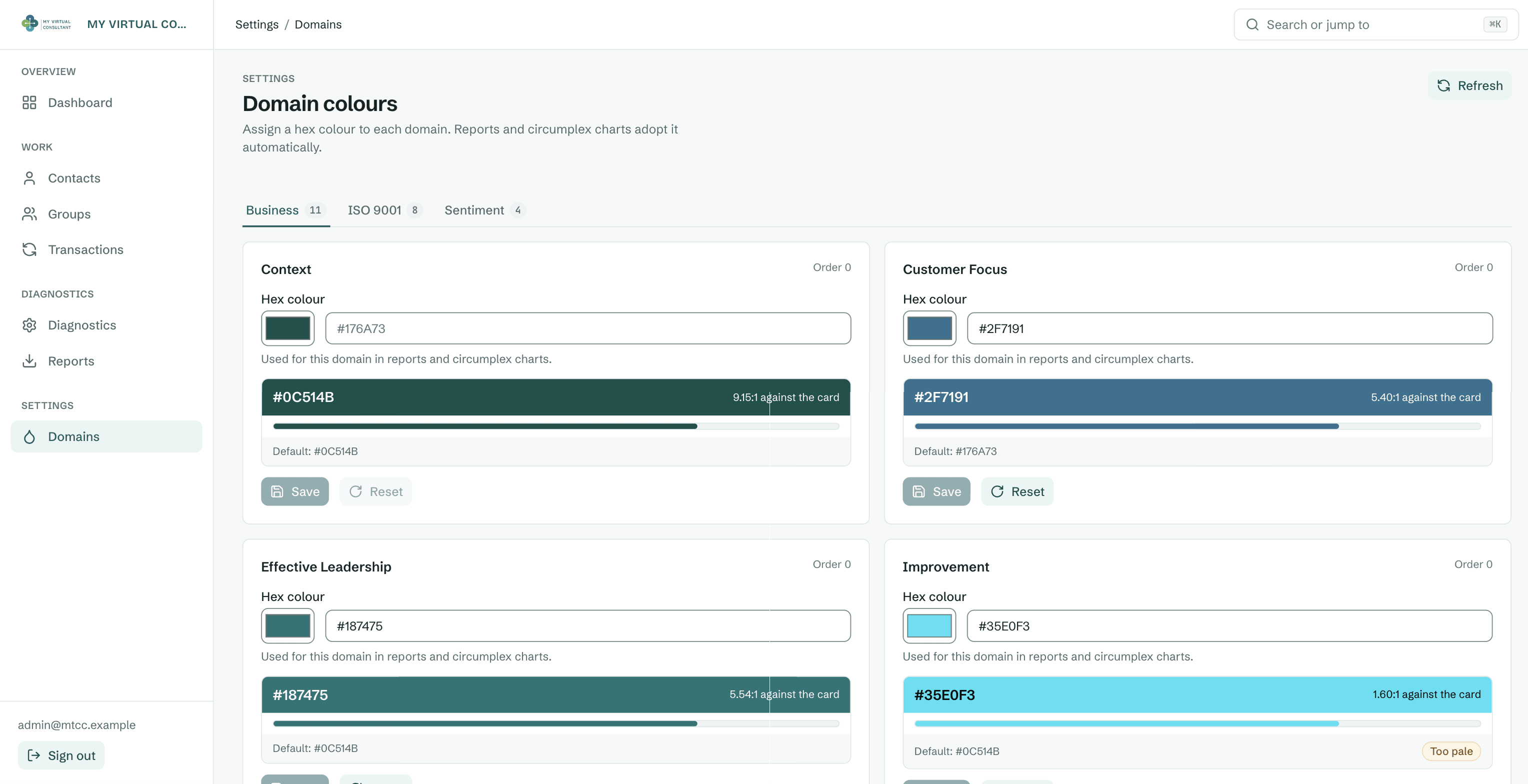
The later work was mostly about the gaps between those pieces. A diagnostic that is half configured, an invitation nobody chased, or a domain colour too pale to read all fail quietly, so each one now has a visible state in the interface rather than a note in someone's inbox.
Continue the conversation
Working through a similarly complex product decision?
I can help frame the problem, make the trade-offs visible, and carry the decision through to a usable delivery.
Get in touch